

Have you ever read our LearnPress Documentation?
Normally, you’ll have a crazy time figuring out if a line of code you are working on is failing. You need to re-check the code, semicolons, and others. However, you cannot find any mistakes. And of course, you need to open technical documentation.
In addition, this technical documentation isn’t easy to read, especially if you’re a new coder. Each document is written by different people, so it’s hard to adjust to their writing style. Sometimes, there are jargons that newbies don’t know yet, and terms used in this language can be used a bit differently in another language. You even need to determine the differences in the details of each language, like which bracket is used.
Luckily, you never need to take care of all of the above things. You can easily understand our LearnPress documentation without touching a single line of code. It’s suitable for any level, even without coding skills. Simply follow the steps, and surely you can install and set up the LearnPress #1 LMS WordPress Plugin quickly. There is a quick LearnPress Review: Features, Benefits, Pricing. So you can refer first.
Even if our documentation is simple, we still provide some tips to make sure anyone won’t miss anything we write. Let’s get started!
8 Tips to Reading LearnPress Documentation
Be patient – LearnPress Developer Documentation
Similarly to other learning processes, it takes time to read the documentation and understand its meaning. In particular, if you read LearnPress Developer Documentation – a document written to describe any aspect of how ThimPress developers need to interact with a given software library or service and start to feel overwhelmed or frustrated, you can stop, relax, and take a break. Just come back to read if you have a clear head with exciting feelings.
If the developer’s documentation isn’t suitable for you, the LearnPress admin guide, LearnPress instructor guide, LearnPress student guide, or LearnPress installation guide has been around long enough for you to refer to. If you have read it, you’ll know how easy it is to get started with your LMS system quickly.
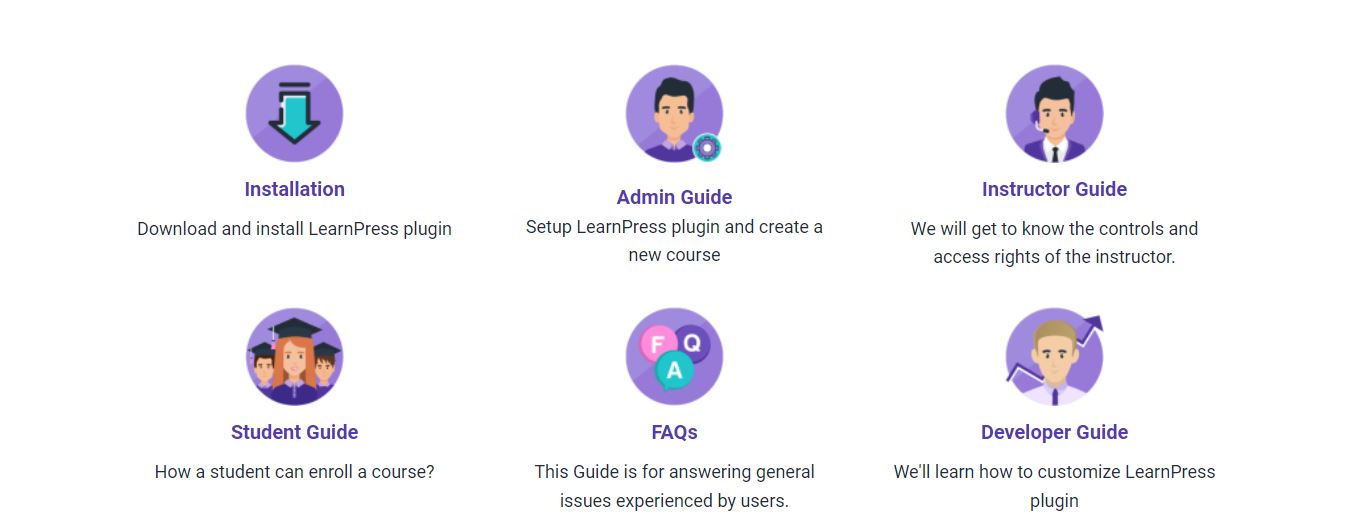
Review terms – LearnPress Documentation
There are some terms you might see while reading LearnPress Documentation such as method, object, and instance. However, these terms can have different connotations apart from the coding world. So we highly recommend you review key terms regularly so you’ll not meet any problems when coming across themes in any documentation.
Develop a reference library – LearnPress Examples
Nowadays, online documentation is replacing traditional documentation like the printed book since people can get information quickly and easily using the internet. However, online sources sometimes are not really accurate. It can be from the speed of the produced process.
And printed books can become backward or outdated when technology is more and more developing. But printed books are reliable reference materials and no others can replace them. So you should read both documentation online and printed books to clarify all concepts.
To check our great reference library, you can refer to the LearnPress Examples guide which is written by our experts.
Use multiple sources
LearnPress Documentation uses multiple sources to make sure even newbies can understand our guide with ease. If you read other technical documentation, you might see some gaps that possible newbies don’t understand a key point. It’s common to mistake that we can not assure readers know what we know.
To solve this matter, newbies can read the same topics on multiple websites to fill in the lacking knowledge of the previous document you have read. In addition, when you read multiple sources, this way can help you explore the useful websites that are suitable for your need.
Read the overview
Read the overview of LearnPress WordPress Plugin Documentation is another important tip you need to take care of to get full information while using the plugin. So you can know clearly what’s going on without any problem.
Check the version
You should check version control and version numbers you are using before reading LearnPress Documentation since it will come with different guides. Also, you might check the version details and change notes to know exactly when and how issues with the code were addressed.
If you plan to understand the detail of the WordPress system, you should learn to read the code. It’s a good chance since reading documentation is not enough sometimes. Knowing code should help you understand what’s happening with a program quickly and easily. So you can inspect the source code, read & analyze the code and see what it is doing from the code examples instead of copying them. Testing, changing, breaking, and fixing the code back is possible.
Clean up the code
You always need to clean up the code and make it organized so everyone can read your code effectively and understand documentation effectively. You can start by arranging the brackets, for example. Good code on the front end can help you when necessary.
Lastly, LearnPress WordPress Plugin Documentation with developer guide gives you a clean code to impress new coders or easier for search engines to understand.
Final Thoughts
LearnPress Documentation is available for everyone. It’s easy to read and suitable for even with no coding skills users. However, it’s great if you are a coder so you can discover and know how the code is working. The best way to learn and read documentation is just to be patient and practice a lot.
Read More: Paid Memberships Pro: Membership Plugin for Learnpress